#Azure Mobile App — Fully managed Platform as a Service — #PaaS
Azure Mobile Apps is a part of new Azure App Service and it offers a highly scalable, globally available mobile application development…
#Azure Mobile App — Fully managed Platform as a Service — #PaaS
Azure Mobile Apps is a part of new Azure App Service and it offers a highly scalable, globally available mobile application development platform for Enterprise Developers and System Integrators that brings a rich set of capabilities to mobile developers.
Now what does it mean and how it can help?
For mobile or web development you like to start building up your web page and/or your mobile app and assume there will be a back-end service that will handle the CRUD operations, so this Azure Mobile App is kind of your magic bullet that can take care of your back-end operation with minimum effort. However if you have more complex enterprise solution then there might be complicated solutions that you need to use.
As crazy as it sounds, you just need to define your Azure Mobile App service in Azure portal and create the tables/entities (no schema needed!) and once you make a POST request from your mobile application or your web application or even Postman or Fiddler, the service will create the schema and will insert the record for you!
And if you make additional POST methods to the same table with modified payload, it will update the schema accordingly and of course you can limit this dynamic schema when you think your schema is ready.
Basically it will give you a RESTful API that you can call as your application back-end.
Other Features that might be interesting for you to know:
- Offline Sync — Mobile Apps makes it easy for you to build robust and responsive apps that allow employees to work offline when connectivity is not available, and synchronize with your enterprise back-end systems when devices comes back online. Offline sync capability is supported on all client platforms and works with any data source including SQL, Table Storage, Mongo, or Document DB, and any SaaS API including Office 365, Salesforce, Dynamics, or on-premises databases.
- Push Notifications — Mobile Apps offers a massively scalable mobile push notification engine, Notification Hubs, capable of sending millions of personalized push notifications to dynamic segments of audience using iOS, Android, Windows, or Kindle devices within seconds. You can easily hook Notification Hubs to any existing app back-end, whether that back-end is hosted on-premises or in the cloud.
- Auto Scaling — App Service enables you to quickly scale-up or out to handle any incoming customer load. Manually select the number and size of VMs or set up auto-scaling to scale your mobile app back-end based on load or schedule.
How to create the Azure Mobile App:
First login to the Azure portal (the new one): https://portal.azure.com
Then click on the “+” or New Resource menu and search for Mobile App on the Market Place:
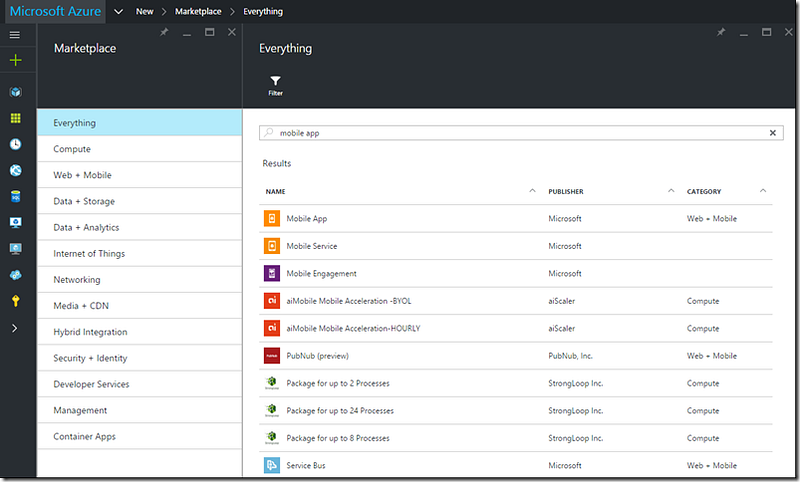
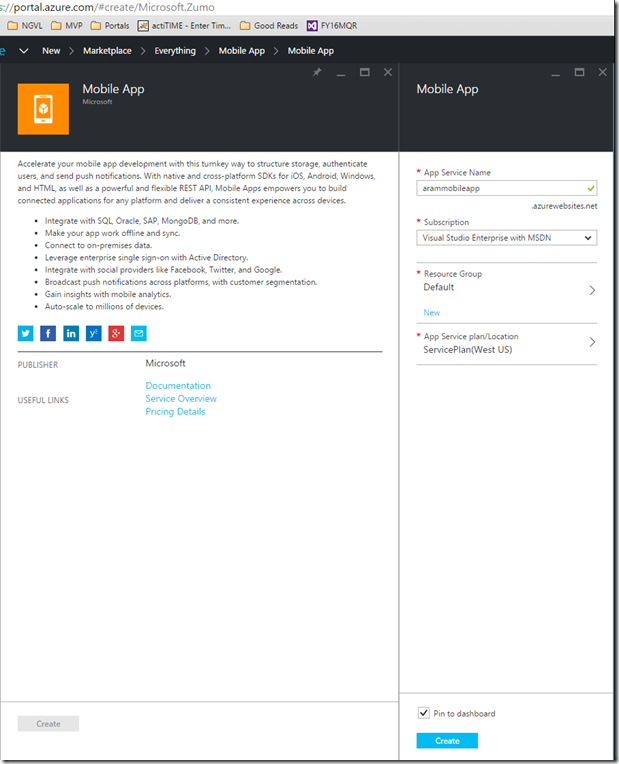
Select “Mobile App”from the search result and on the new tab that was opened, select “Create”button and then enter your App Service Name,select your Subscription and the Resource Group and the App Service Plan Location and click Create again:
This will create your empty Mobile App, now you can see the properties and settings of the Mobile App you created:
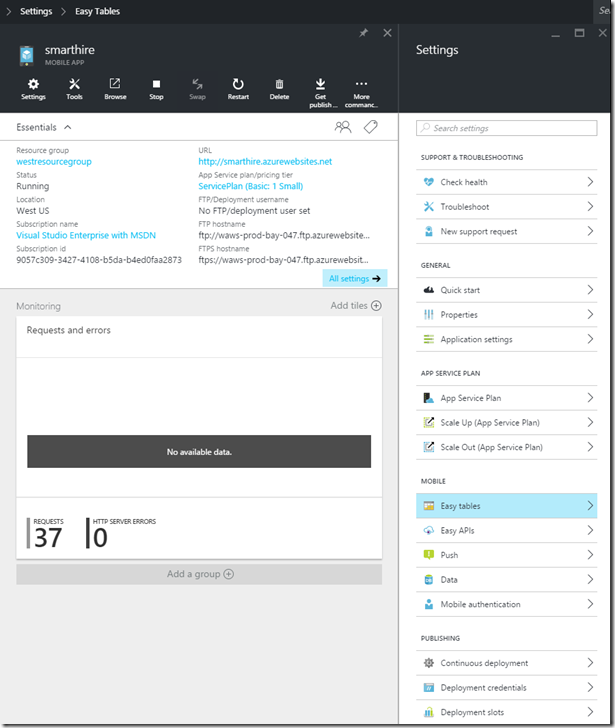
Here comes the fun part. Click on the “Easy tables” menu in the Settings and you will see a TodoItem table created by default for you. you can try creating additional ones by clicking the Add button and giving it a name.
But for this demo I will just use the existing table. I will just open Postman and create a POST request to this endpoint : POST http://YOUROWNAPPNAME.azurewebsites.net/tables/TodoItem.
Note: Make sure you have these 2 in your request header:
ZUMO-API-VERSION = 2.0.0
Content-Type = application/json
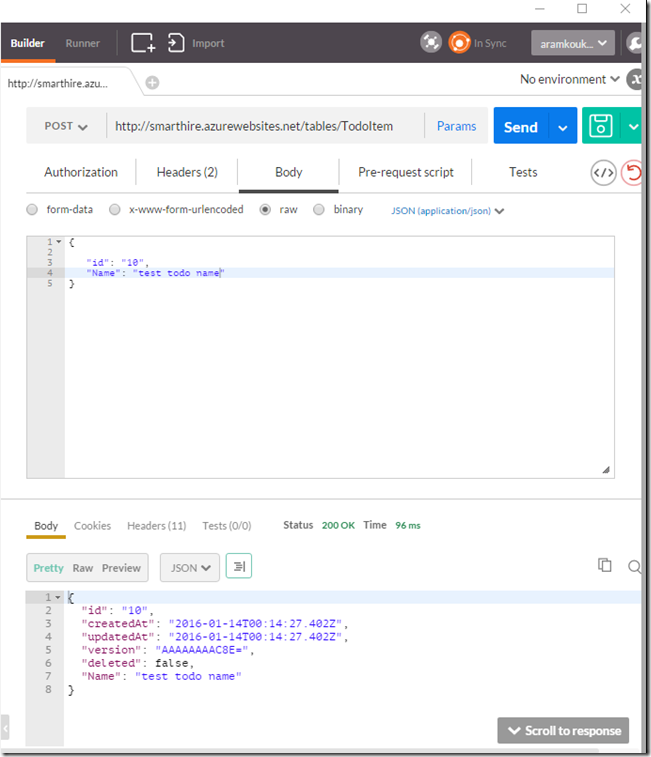
You can see that it returned a 200OK and the entity that it created! how cool is that?
Now change the Json in the body and add another property and see what happens:
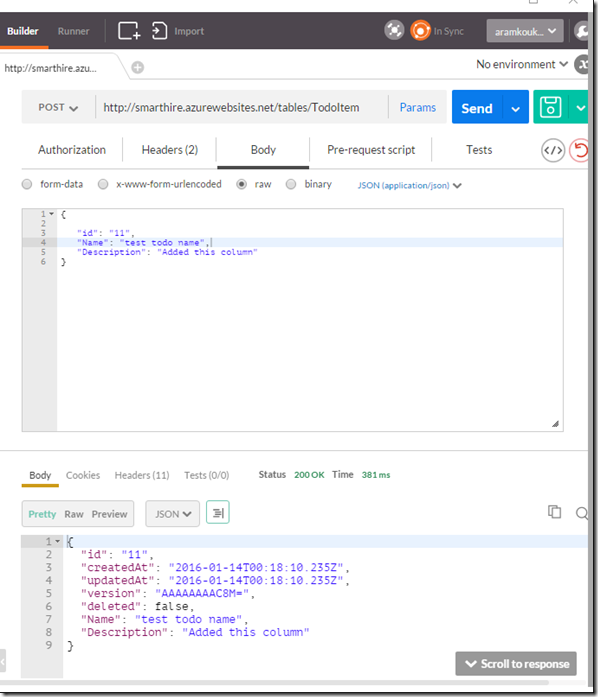
See the new column was added and returned? Magic?
Now try to do a GET on the same endpoint like:
GET http://YOUROWNAPPNAME.azurewebsites.net/tables/TodoItem and see the result:
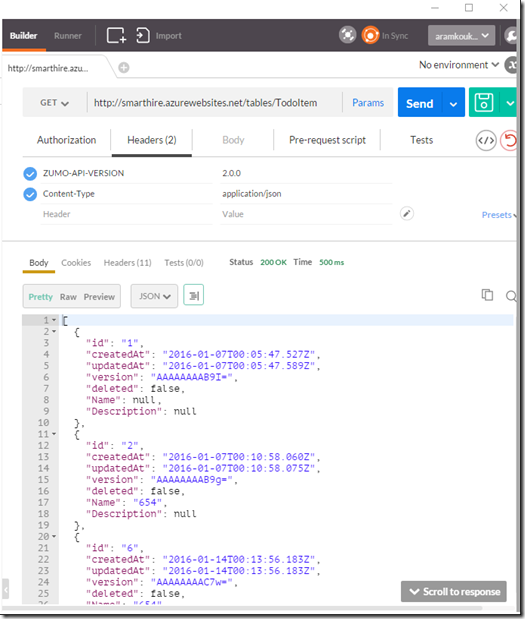
You can make all sort of http calls to this endpoint.
Here is the documentation about all the Operations you can do on a table in Mobile Apps:
https://msdn.microsoft.com/en-us/library/azure/jj710104.aspx
Now you can go ahead and just define the entities in the Azure portal and start making POST calls to build up your back-end service!
There are a ton of features in the Mobile App like Authentication, Push Notifications, Request Interception etc that you can go and take a look in the Azure Mobile App documentation:
https://azure.microsoft.com/en-us/documentation/articles/app-service-mobile-value-prop/
Hope this helps to kick-off your new cool App/Web idea without having to worry about the back-end.