Another Sexy debugging tool in #VisualStudio: Code Map
I recently noticed this button in Visual Studio 2012 on debug mode, thought this might be useful debugging complicated codes in Visual…
Another Sexy debugging tool in #VisualStudio: Code Map
I recently noticed this button in Visual Studio 2012 on debug mode, thought this might be useful debugging complicated codes in Visual studio.
The Code-Map-debugger is a powerful tool available with Visual Studio 2012 that allows you to observe the run-time behavior of your program visually.
Few quick things that we can do :
1.Create a code map to trace the call stack visually while you’re debugging and see some boxes saying, where are you now and how you actually ended up here.
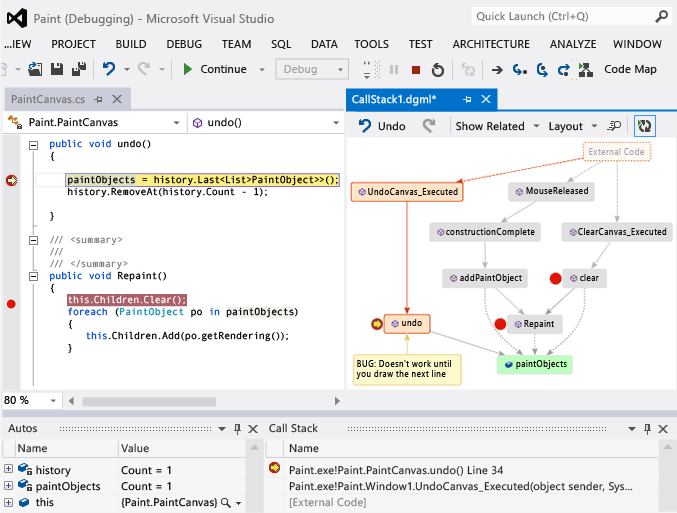
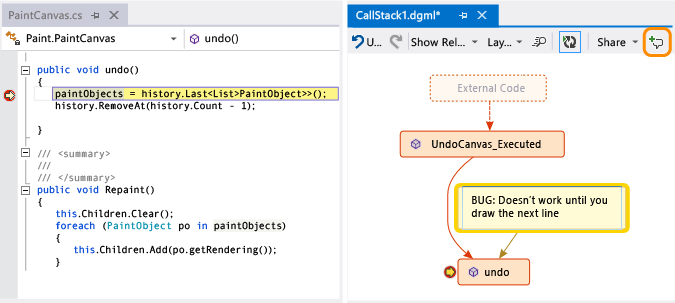
2.Make notes or put comments for future use on the map on each box to track what the code is doing and the next time you debug and see the Code map you can see the comments there. You can comment the Bugs you find to fix later if you want
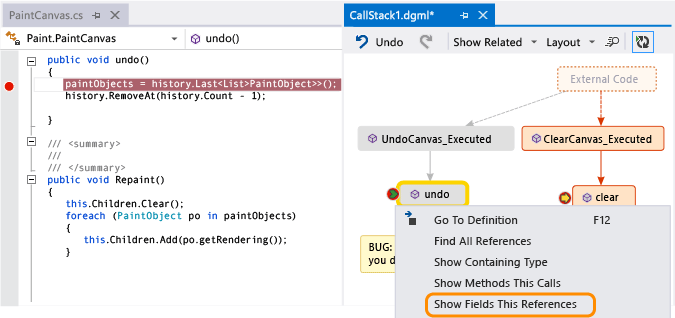
3.You can go to definition and Find All References right from your visual blocks in the Code Map
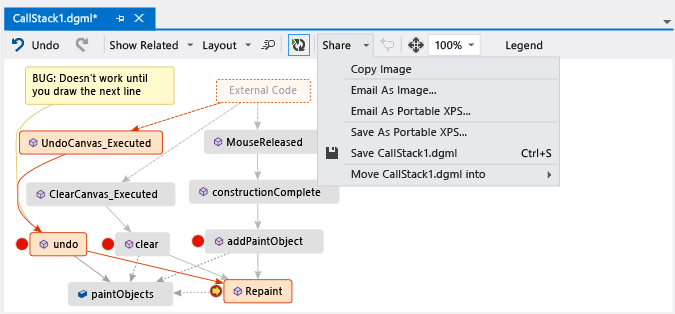
4.And for sending this Code Map to others for discussions, you can create an image or XPS or even directly email it to whoever you want.
If you are interested in this one, you can find more info here:
http://msdn.microsoft.com/en-us/library/vstudio/dn194476.aspx
Or watch this quick intro video here: