Just In Time Debugger / Unable to attach to the process
Last week after I installed Microsoft Visual Studio 2013 preview, some websites that I was hosting just stopped working! What?! yeah, I…
Just In Time Debugger / Unable to attach to the process
Last week after I installed Microsoft Visual Studio 2013 preview, some websites that I was hosting just stopped working! What?! yeah, I still don’t know what was the reason and what was happening was, when I tried to access the hosted websites I was getting this screen:
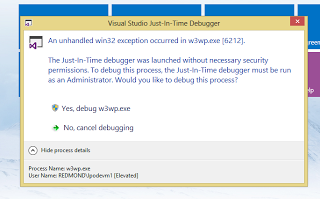
So I started investigating and looks some websites online and some people where suggesting to turn off Just In Time Debugger in Visual Studio.
Now the question is which Visual Studio, I have 2012 and 2013 both. Well I don’t care, i just did that in both VSs from Tools menu > Option > Debugging:
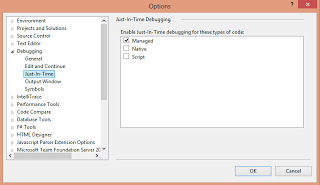
Well, guess what, didn’t work as I was expecting, but while I was searching someone had suggested to Install this tool called: Debug Diagnostic Tool to attach to IIS process to actually debug the issue! What Issue? my websites where working just fine and anyways I just installed it and just played around the projects and that message went away for good!!Now after all those things done, I notice when I try to debug my hosted websites, I cannot attach to my w3wp IIS process to debug, and gives me this error:
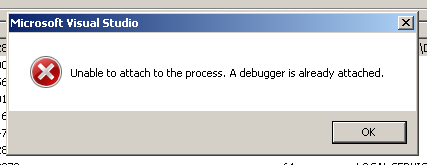
Again… started looking it up and found this solution :
Looks like this Debug Diagnostic Tools attaches to IIS process in the background and does not let me to do it via Visual Studio, so I opened this application as suggested and deactivated the only rule that was there as suggested:
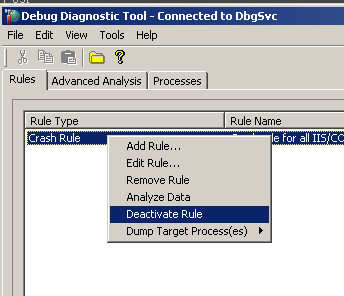
And this just worked…